All rooms shall be booked online as outlined in the procedure below:
Click her to Read Hostel Booking PDF
1. Visit the University student portal the portal directly by clicking https://portal.mu.ac.ke
2. A new page opens taking you to the portal’slogin page https://portal.mu.ac.ke (see
screenshot below).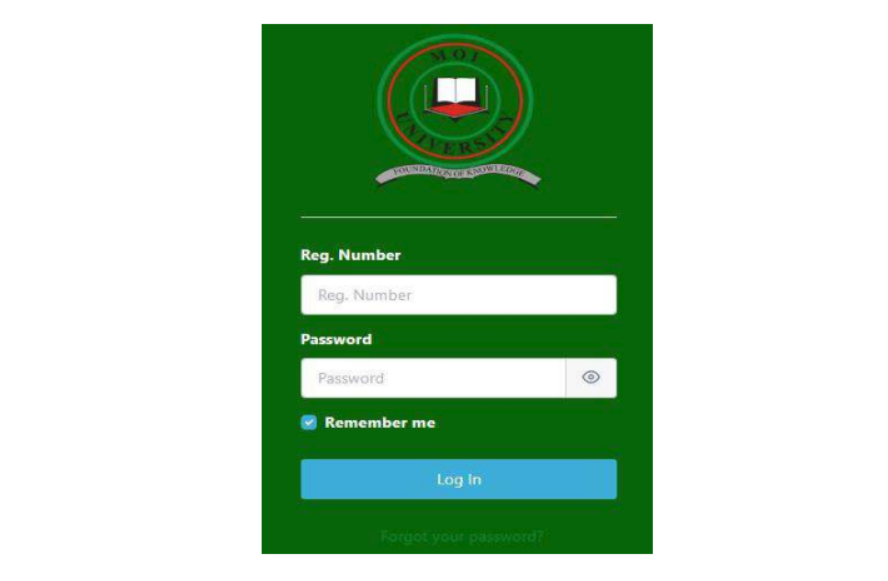
3. Using the Registration number and default password: student, Click
log in to gain access to the portal
4. Click on the Hostel Booking under the Accommodation tab on your left as shown below:
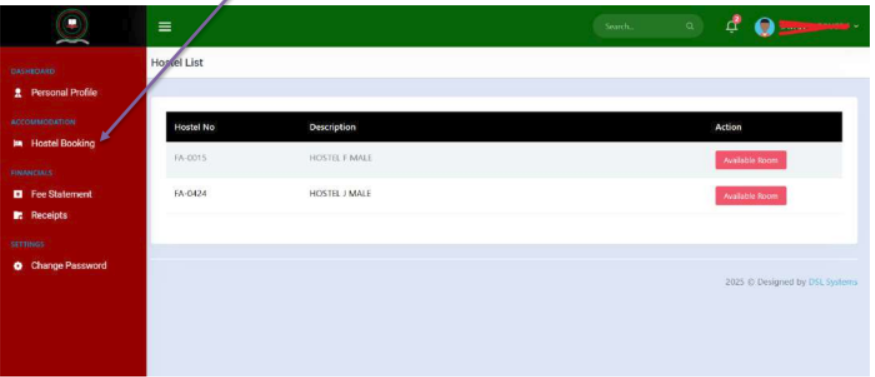
5. Click on Available Room as shown above on your preferred Hostel. Available Room
will display all vacant room spaces. Click Room Spaces button against the room you
wish to book.
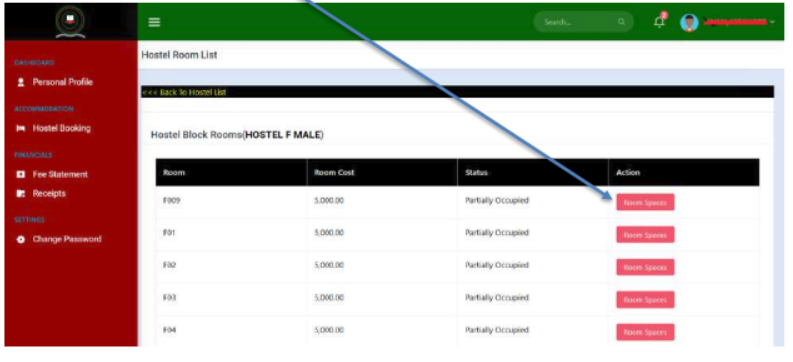
6. Click on Room Spaces and select a space that is Vacant by clicking on Book Space as
shown above. (Vacant=All spaces are available, Partially Occupied=Some spaces are
available and others booked, Fully Occupied=All spaces are filled up.)
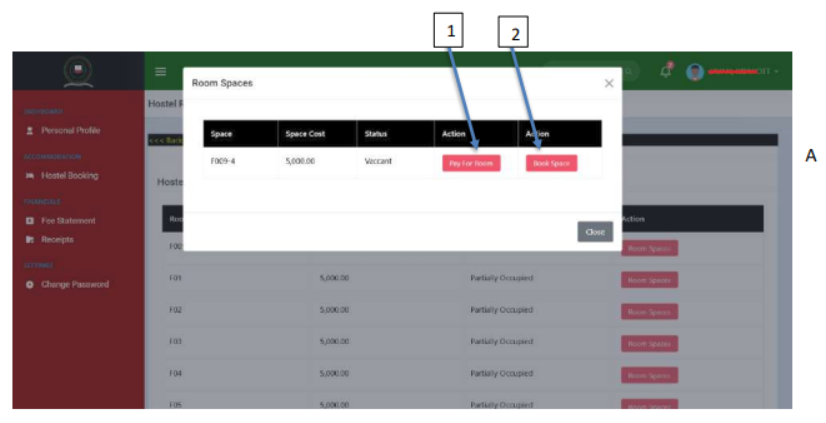
7. Ensure you have the room amount in your M-PESA then Click Pay for Room button as
shown in the screenshot above, if you do not have the room amount, click Book space
button to reserve the room for 2 hours after which the room will be reversed
automatically to allow for others to book.
8. If you click Pay for Room, the confirmation window box will appear as shown in the
screenshot above,
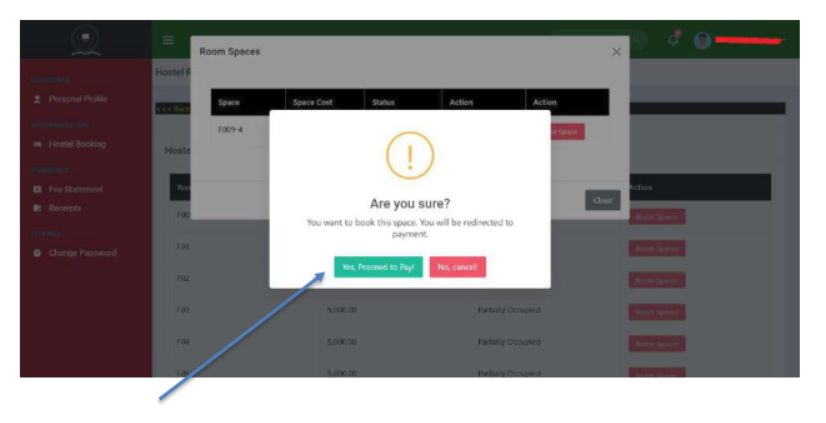
9. Click on ‘Yes, Proceed to Pay!’ to make the hostel room payment by following the
instructions.
10. To complete the Hostel room booking process, repeat steps 5 and 6 and on step 7 click on
Book Room button to complete.
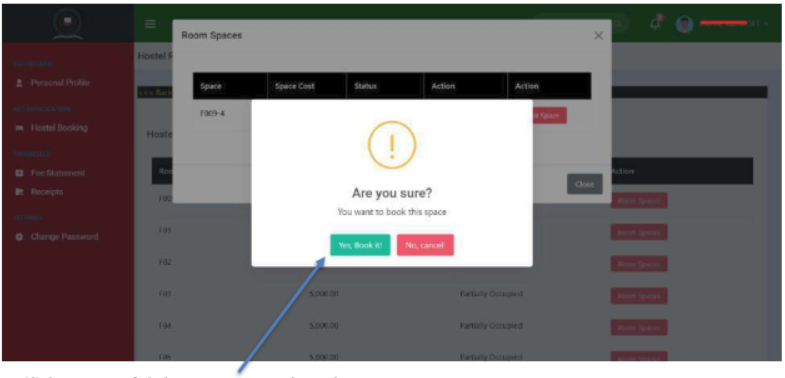
Click Yes, Book it button to complete the process.
Print or Save the hostel invoice at the top and payment receipt which will be verified by the
Hostels’ Department on the day of reporting before issuance of room keys and other inventory
items.
Download Room Booking Procedure 2026